
Xilisoft iPod Mate
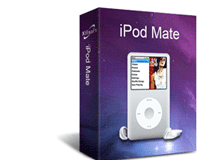
iPod Mate is a 3-in-1 applications pack made especially for your iPod. Included inside are: Xilisoft DVD to iPod Converter, Xilisoft iPod Video Converter together with Xilisoft iPod Convert (iPod copy/backup software). Now you can manage, update, sync and put multimedia files into your iPod at a cheaper price!
Want to backup or restore your iPod files to your computer? How about putting your favorite pictures, music and podcasts, too? Use Xilisoft iPod Convert to transfer files between your computer and iPod! How about transferring your favorite movies and videos so you can watch them on the go? Use Xilisoft iPod Video Converter to fit movies or audio with big files into your iPod, while use Xilisoft DVD to iPod Converter for those Home DVD movies you would like to convert and put into your iPod!
Download iPod Mate so you can start organizing, syncing multimedia files into your iPod!
This pack can't rip/convert DVD with copyright.


Xilisoft iPod Video Converter
Xilisoft iPod Video Converter provides you with the easiest way to put any videos on iPod by converting all popular video formats including AVI, MPEG, WMV, MOV, MP4, RM, RMVB, DivX, ASF, VOB, 3GP to iPod video MPEG-4/MP4 and music MP3, M4A, etc.
Xilisoft DVD to iPod Converter
Xilisoft DVD to iPod Converter is the powerful, easy to use DVD converting software for iPod which helps you convert home DVD to iPod video MPEG-4/MP4 format and iPod audio formats including MP3, AAC and M4A.
Xilisoft iPod Rip
Fast and easily transfer music, videos, photos, apps, contacts, messages, between iPod and PC, transfer files from iPod to iTunes. Simply manage your iPod.


