
How to convert MPEG to MP3
Do you always find sweet music in a movie and want to get this music? Do you want to extract music from concert videos, and play on your MP3 player? Suppose that you have videos with MPEG format, how to convert MPEG to MP3? How to extract audio from video very easily? With Xilisoft Video to Audio Converter, you will solve these problem easily and fast.
You can convert MPEG to MP3 and extract audio from video with fast speed and perfect quality. It can convert MPEG to MP3, AVI to MP3, and also support converting various video formats including MPEG1, MPEG2, MPEG4, WMV, AVI, MP4, 3GP, MOV, RM to popular audio formats such as MP3, WAV, AC3, WMA, M4A, OGG, AAC etc. It supports multithreading, and you can convert multiple files at the same time, all conversion processes, such as MPEG to MP3, MPEG4 to MP3 are very easy and fast. Free download is available.
Step-by-step Guide: How to convert MPEG to MP3 and extract audio from video with the MPEG to MP3 converter?
Step 1: Free download the MPEG to MP3 converter and save it in your computer, and then run it.
Step 2: Launch the MPEG to MP3 converter
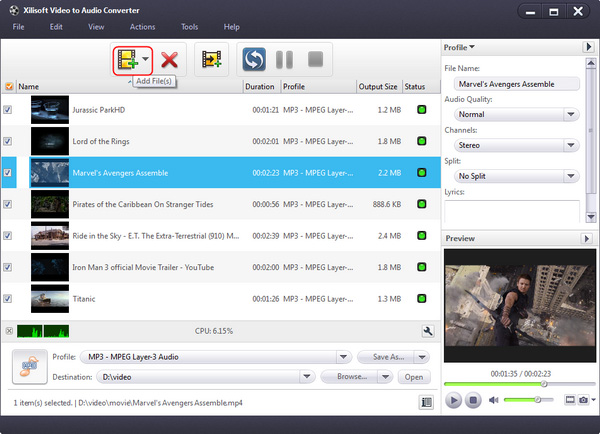
Step 3: Click Add file to load MPEG file(s) to be converted to MP3:
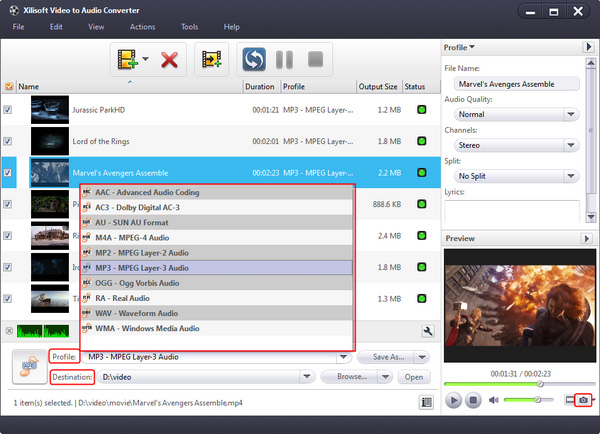
After selecting certain output format, the right column will show general standard of the format. By clicking certain setting(s), you may specify it. Or just keep all the default setting to get the best output quality. And then you can click Save As button to save them as the appropriate name:
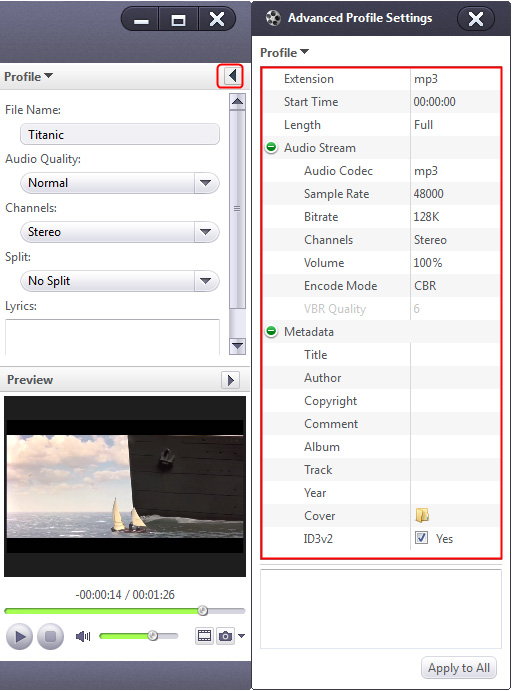
Step 5: Click Browse button to select an output path.
Step 6: Click Converter button to start to convert MPEG to MP3:
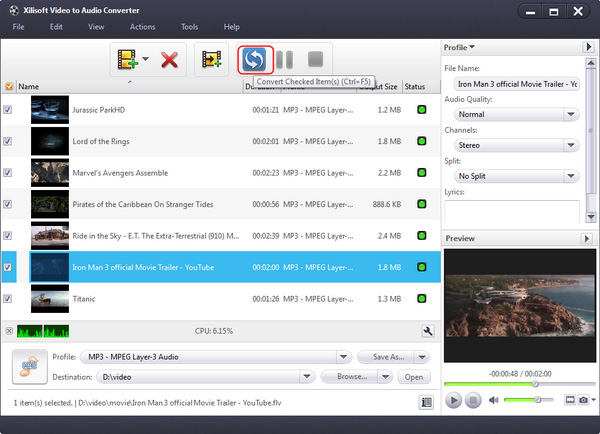
OK. You successfully complete to convert MPEG to MP3 and extract audio from video with the MPEG to MP3 converter. And it also supports converting various video formats including MPEG1, MPEG2, MPEG4, WMV, AVI, MP4, 3GP, MOV, RM to popular audio formats such as MP3, WAV, AC3, WMA, M4A, OGG, AAC etc. We suggest you free download to have a try right now.
Tip:
When converting video movie to audio file, you can click Play button to preview file. Please Note: This function is only for preview purpose.
What a powerful MPEG to MP3 converter to convert MPEG to MP3. With it, you can also convert MPEG4 to MP3 and extract audio from video. Why not free download and enjoy it right now?


